

SQL Studio — Ad-Hoc Warehouse Queries in stratif.io
SQL Studio is a full query editor connected directly to your warehouse. No intermediate layer, no query builder — just SQL against your actual data.
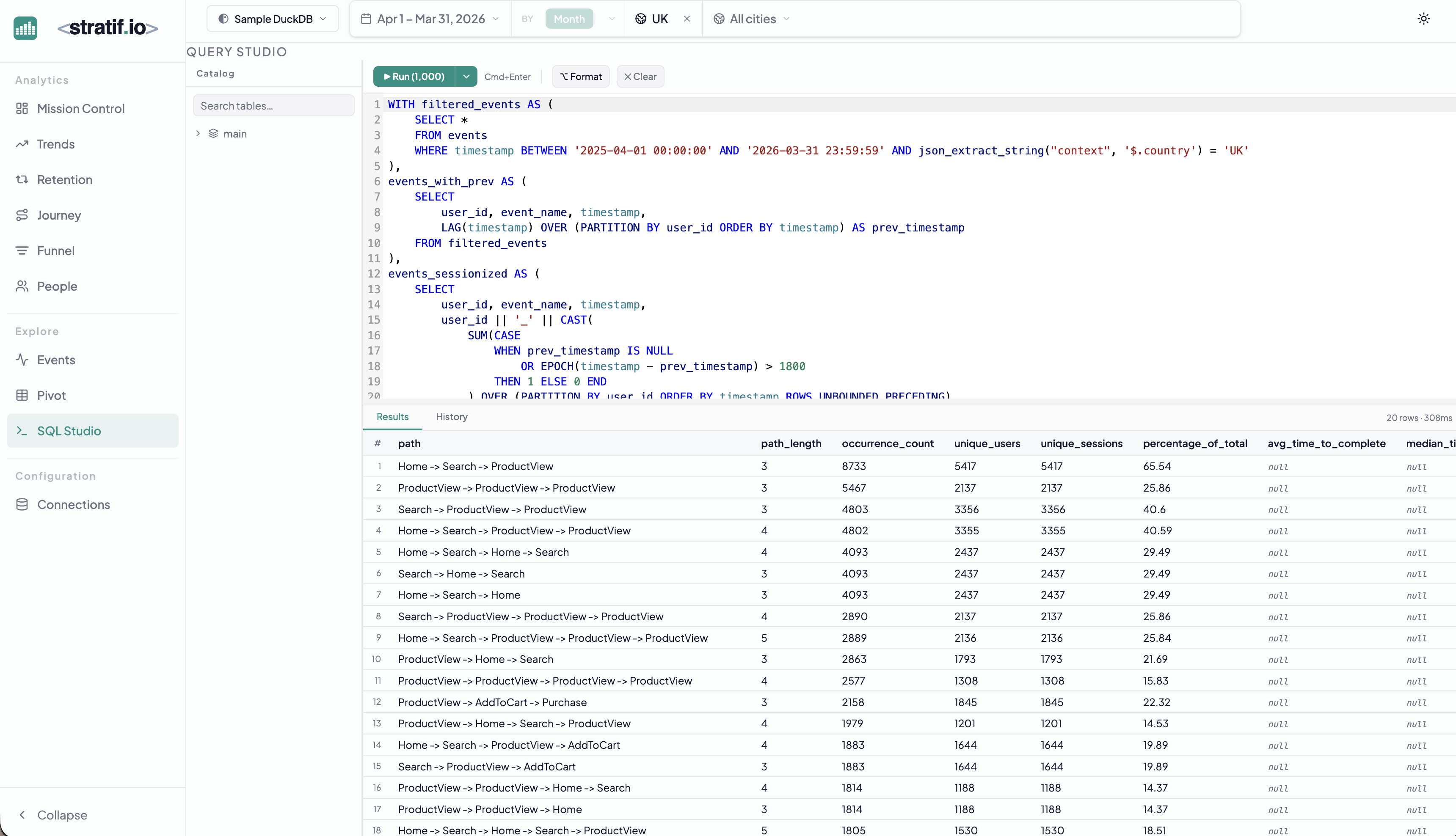
Writing queries
Type any SQL your warehouse supports. The editor provides syntax highlighting. Results appear in the table below as soon as the query completes.
stratif.io uses SQLGlot to translate queries across dialects — the same SQL syntax works against DuckDB, PostgreSQL, ClickHouse, Snowflake, and Databricks.
The SQL button
Throughout stratif.io, charts and tables display a small SQL badge. Click it to see the exact query that generated the visualisation. This is a learning and debugging tool: you can understand how any metric is computed, modify the query, and run it directly in SQL Studio.
Query history
Recent queries are saved in the history panel on the left, so you can return to a previous analysis without rewriting it.
When to use SQL Studio
- Custom metrics not covered by the built-in analytics pages
- Ad-hoc investigation following up on a trend or anomaly you spotted in another view
- Data validation — run a count or a sample query to verify your events table structure before configuring a connection
- Power queries — window functions, CTEs, custom session logic, cohort calculations beyond the built-in retention model
SQL Studio is the escape hatch. Whenever the built-in views don’t answer your specific question, SQL Studio does.