

Funnel Analysis on Your Data Warehouse — stratif.io
A funnel measures how many users complete a sequence of steps — and where they drop off.
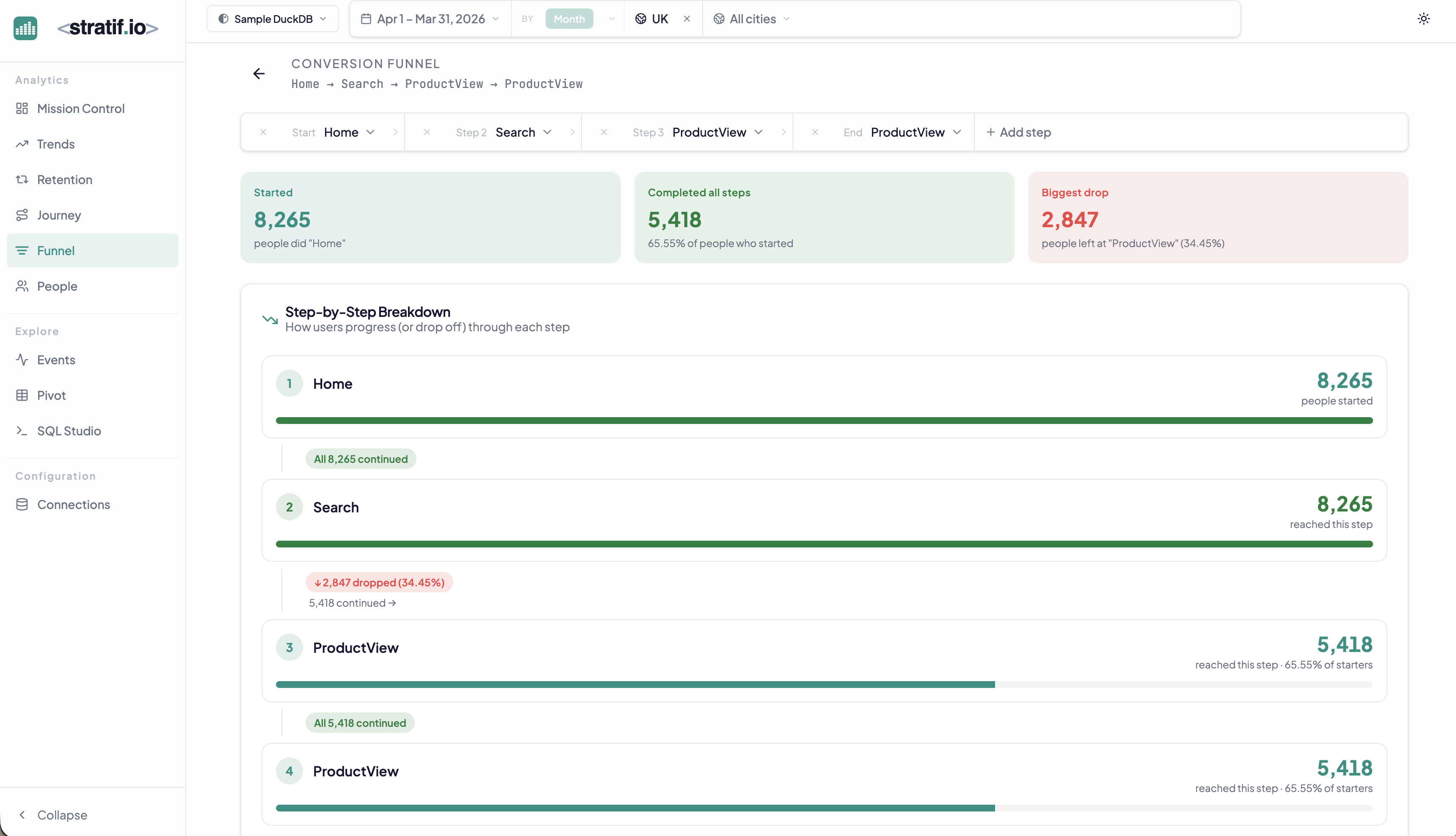
Building a funnel
Add steps using the step picker at the top. Each step is an event name from your warehouse. The funnel calculates, for each user who completed step 1, what fraction also completed step 2, then step 3, and so on — in order, within the session window.
Reading the results
- Started: users who fired the first event in the window
- Completed all steps: users who fired every step in sequence
- Biggest drop: the step where the most users abandoned the funnel, with the exact drop percentage
The step-by-step breakdown shows the absolute user count and cumulative conversion at each step. The green bars represent the fraction that continued; the drop labels show how many left.
Why the order matters
Funnels are ordered — a user must fire Home before Search before ProductView to count. This reflects real intent: you’re measuring a deliberate journey, not just whether a user ever touched each page.
Filtering by segment
Combined with global filters, funnels become segmentation tools. Set country = UK and compare conversion to country = FR. If UK users convert at 70% and FR users at 40%, you have a localisation or UX problem in France.
When to use Funnels
Use funnels when you have a defined critical path — onboarding, checkout, activation, upgrade — and you want to know exactly which step is causing the most abandonment. Fix the biggest drop first: it has the highest leverage on overall conversion.
View the SQL
Every metric and chart on this page has a SQL badge. Click it to open the exact query stratif.io ran against your warehouse to produce that number — joins, window functions, filters and all.
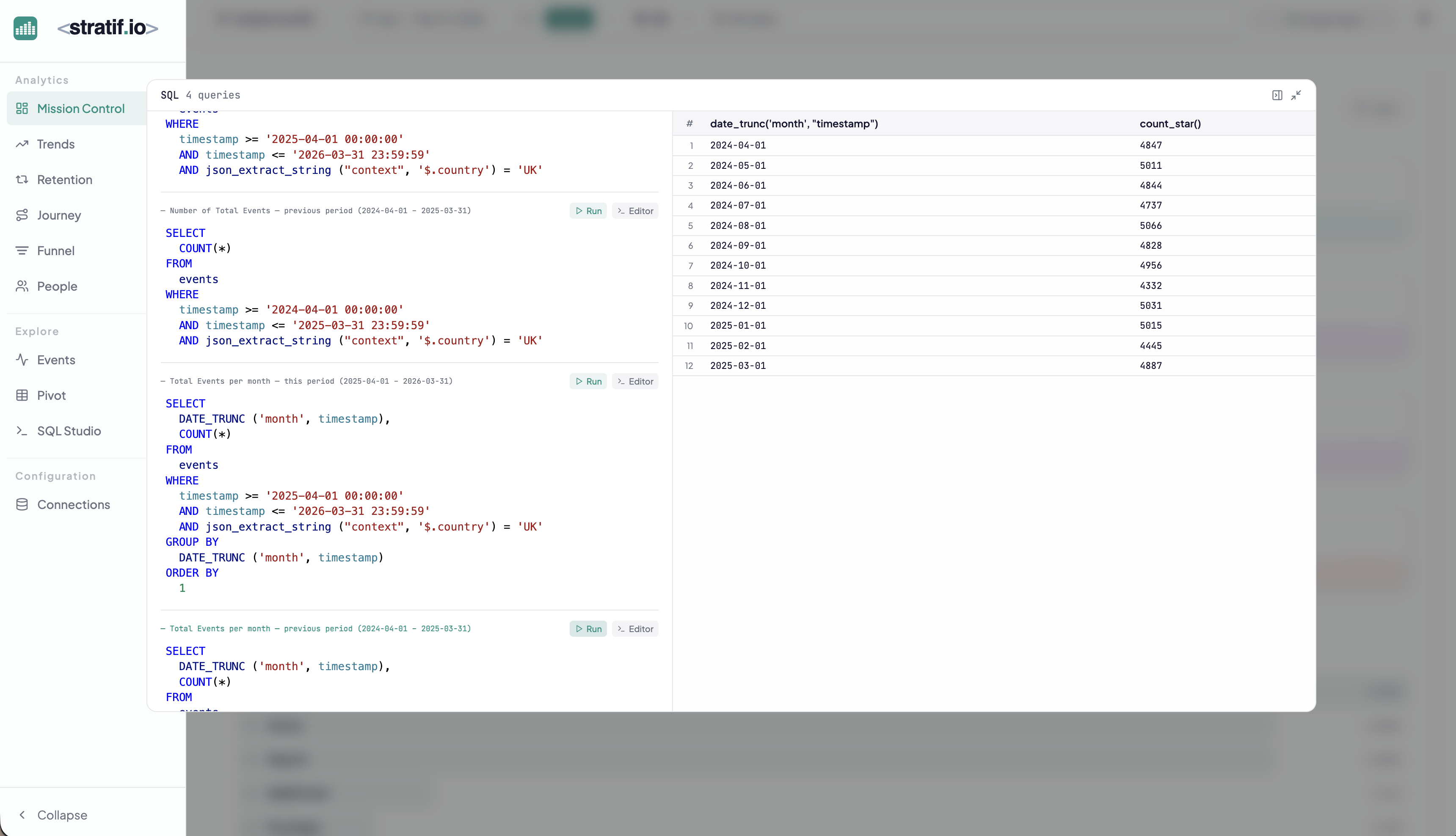
You can copy the query into SQL Studio to modify it, run variations, or use it as a starting point for your own analysis. This makes stratif.io a learning tool as much as an analytics tool: you can see how product metrics are actually computed in SQL, not just consume the results.