
Global Filters — Date Range, Device, and Custom Property Filters
Every page in stratif.io shares the same filter bar at the top. Filters you set here apply instantly to every chart, table, and metric on screen — you never need to reconfigure the same segment twice.
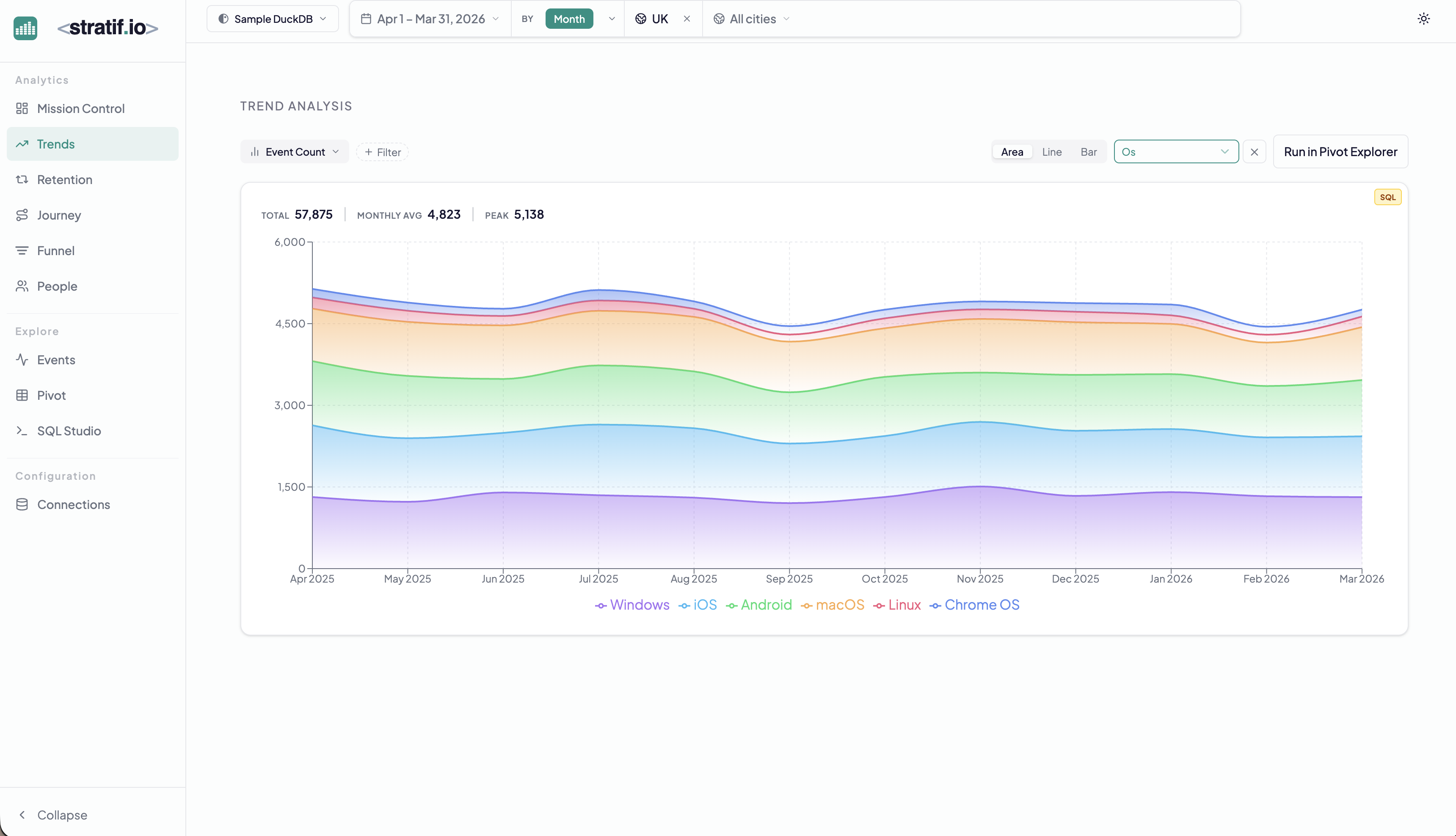
Connection selector
The leftmost control picks which warehouse connection (and therefore which events table) all queries run against. You can have multiple connections — for example a production DuckDB and a staging Snowflake — and switch between them without leaving the page.
Why it matters: You can compare behaviour across environments, or quickly demo with sample data before switching to your real warehouse.
Date range
Sets the time window for every query on the page. The default spans the last 30 days. You can pick any calendar range or use presets (last 7 days, last 90 days, year to date).
Why it matters: Product analytics questions are almost always time-bound. “Did my new onboarding flow improve conversion?” only makes sense if you compare the right before/after windows.
Granularity
Controls how time is bucketed in charts — Day, Week, or Month. Finer granularity reveals short-term spikes; coarser granularity reveals long-term trends without noise.
Why it matters: A daily view of a weekly-usage product looks flat and uninformative. A monthly view of a fast-moving launch hides the day-by-day ramp. Match granularity to your product’s natural rhythm.
Property filters
The pill-shaped filter chips (e.g. UK, All cities) let you narrow every query to a subset of your users based on any event property in your warehouse — country, device, plan tier, A/B test variant, or anything else stored in your events table.
Filters stack: selecting UK and Mobile shows only events from UK mobile users across all pages simultaneously.
Why it matters: Aggregate numbers hide the truth. Your overall retention might be flat while your paid users are churning and your free users are growing — or vice versa. Filtering by segment reveals which part of your user base is driving the trend.
How filters interact with queries
All queries sent to your warehouse include your active filters as WHERE clauses. There is no sampling or pre-aggregation — every number you see reflects the exact rows in your warehouse that match your current filter state.